Back to all banks
How to automatically track HSBC transactions
Use this guide to send transaction alerts to the Gmail inbox you will forward from. TeleExpense prepares supported alerts in Telegram for review before you save confirmed records to Google Sheets.
Ready to viewLast updated: 2026-05-16
Step 1
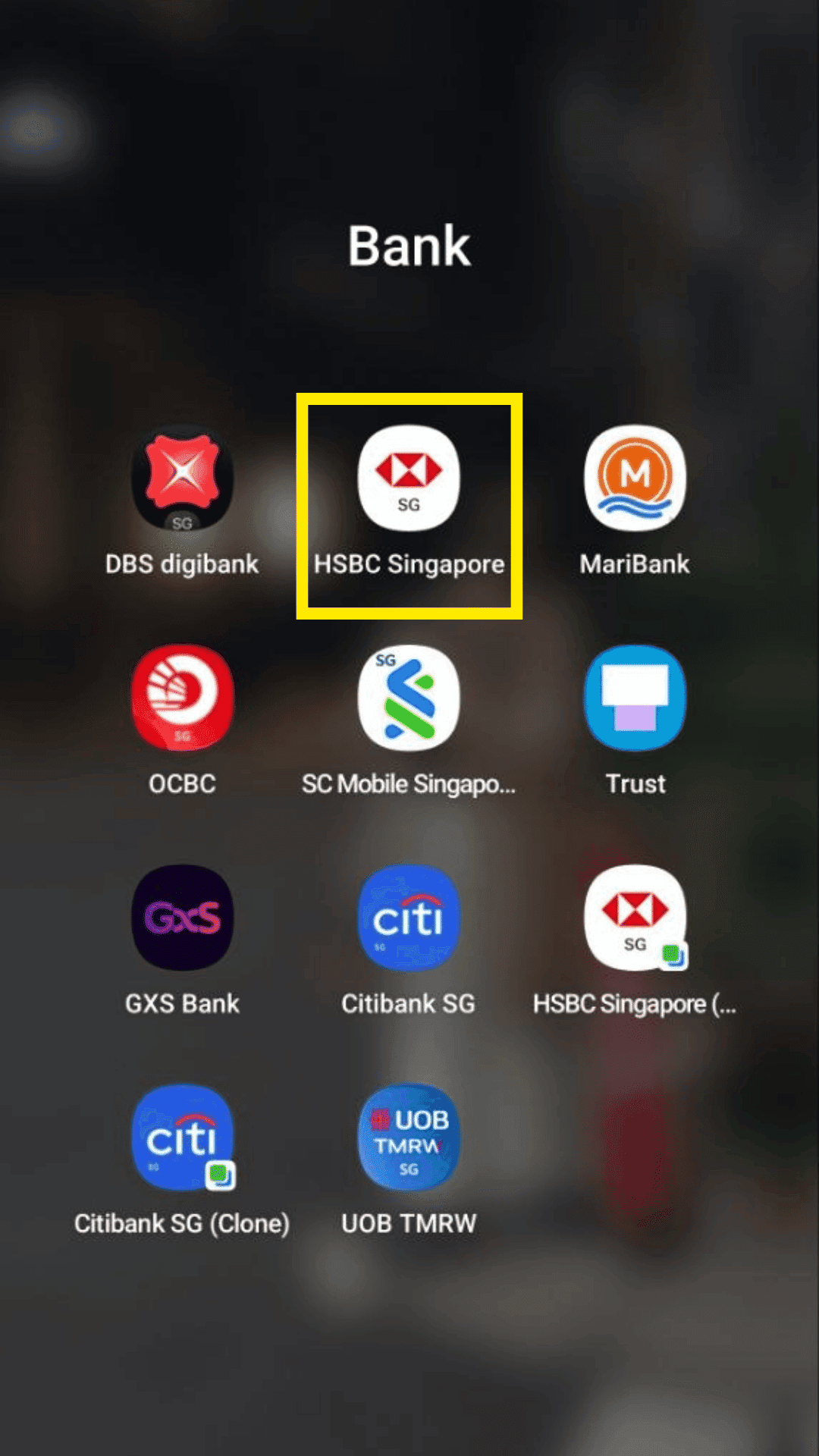
Open and login to your HSBC Singapore banking app.
Step 2
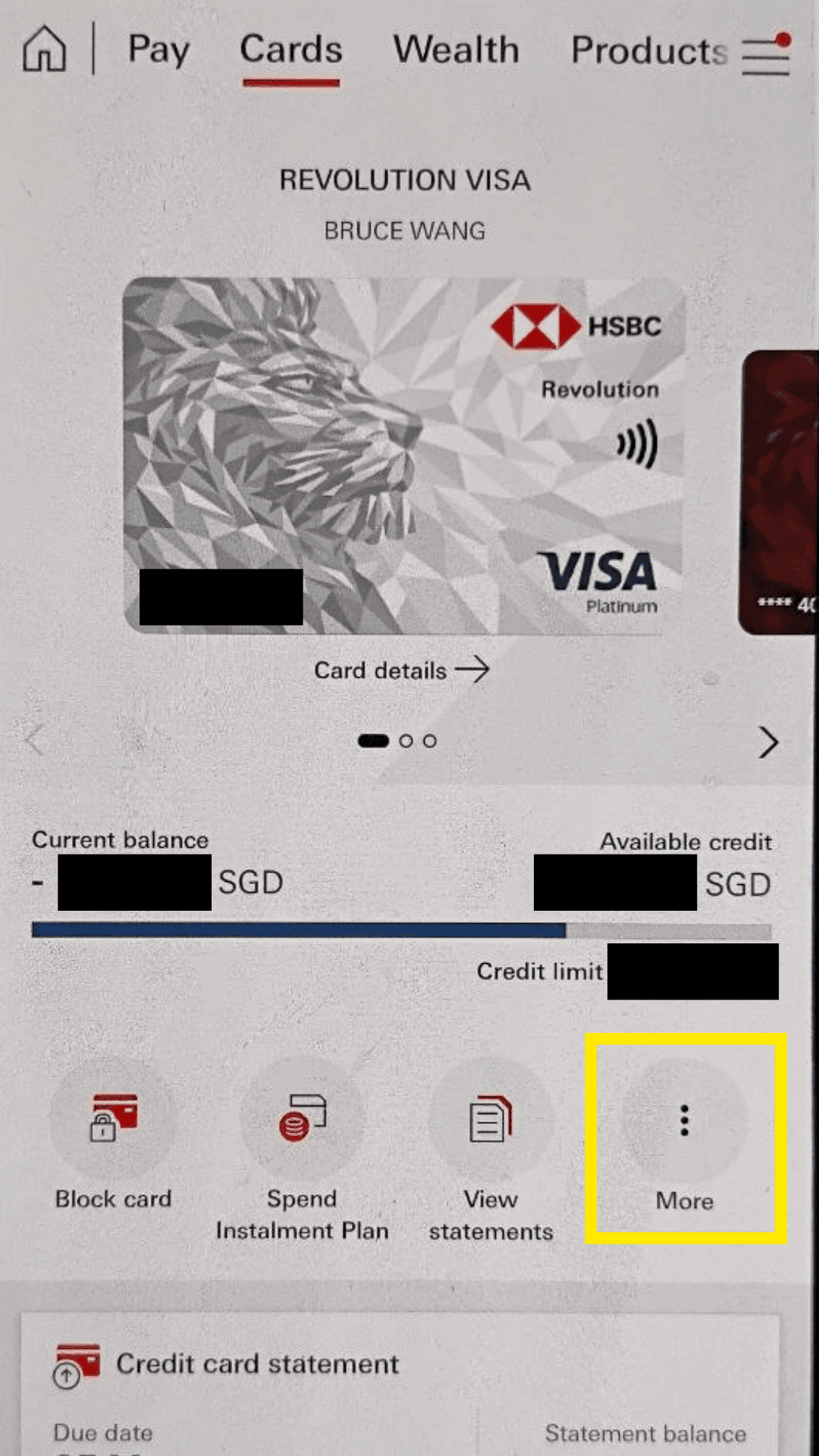
Go to cards and click on more
Step 3
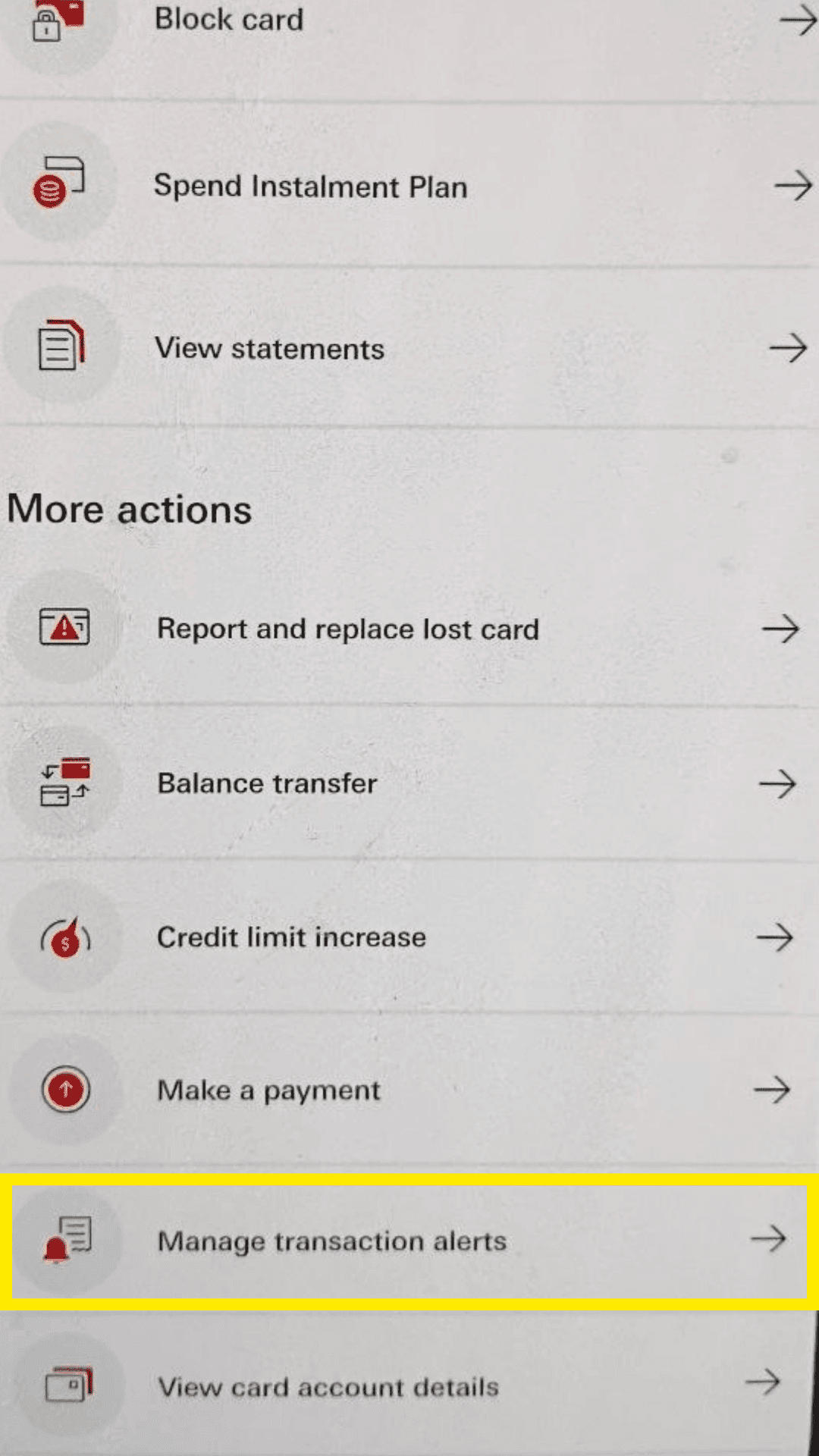
Click on manage transaction alerts.
Step 4
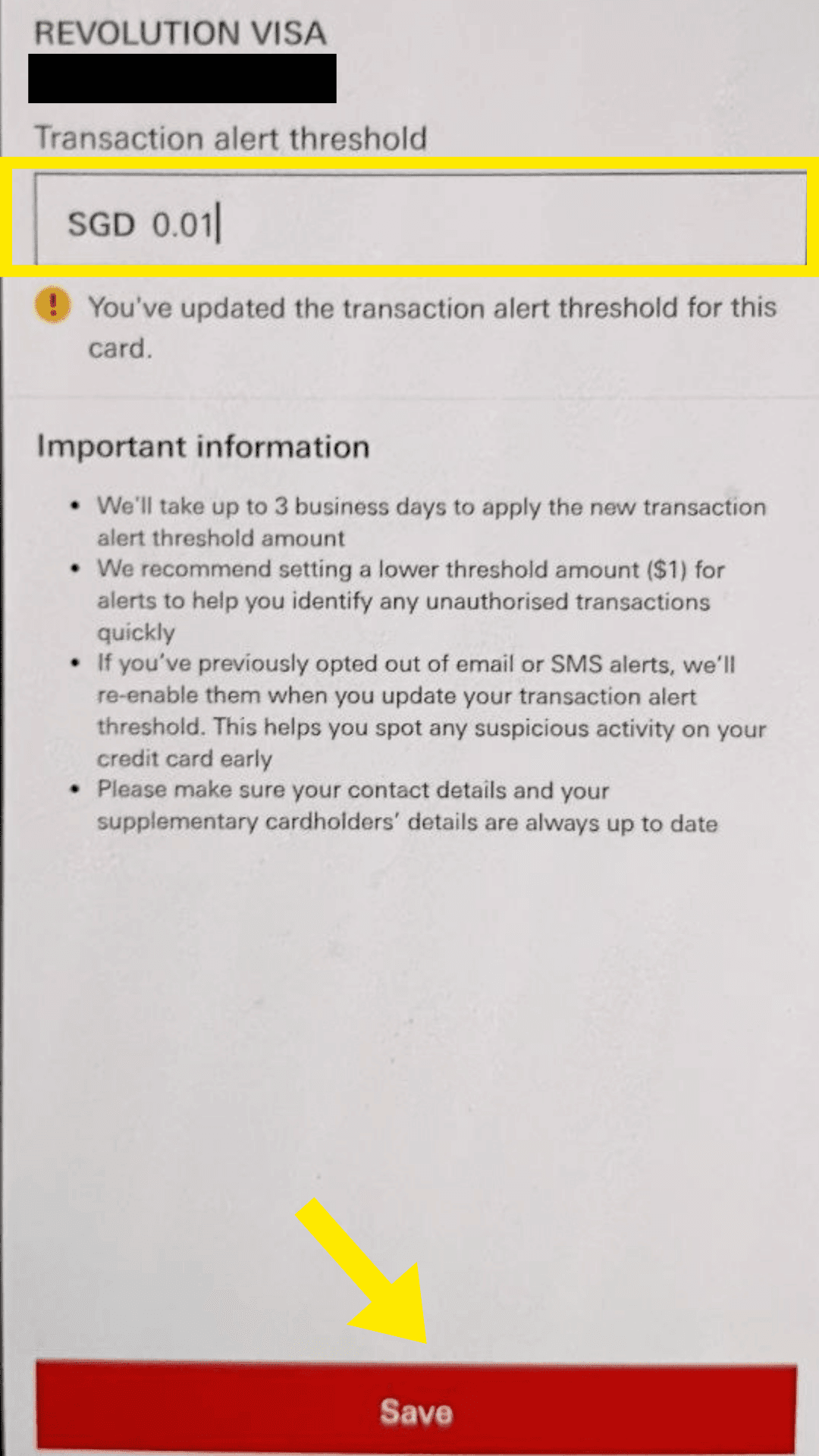
Set the transaction alert threshold to $0.01 to track all transactions, and click Save. Make sure the email used is the one you will forward to TeleExpense.
Continue with TeleExpense
After enabling alerts, set up Gmail forwarding so TeleExpense can prepare supported transactions in Telegram for your review.
Set up Gmail forwarding