Back to all banks
How to automatically track Citibank transactions
Use this guide to send transaction alerts to the Gmail inbox you will forward from. TeleExpense prepares supported alerts in Telegram for review before you save confirmed records to Google Sheets.
Ready to viewLast updated: 2026-05-16
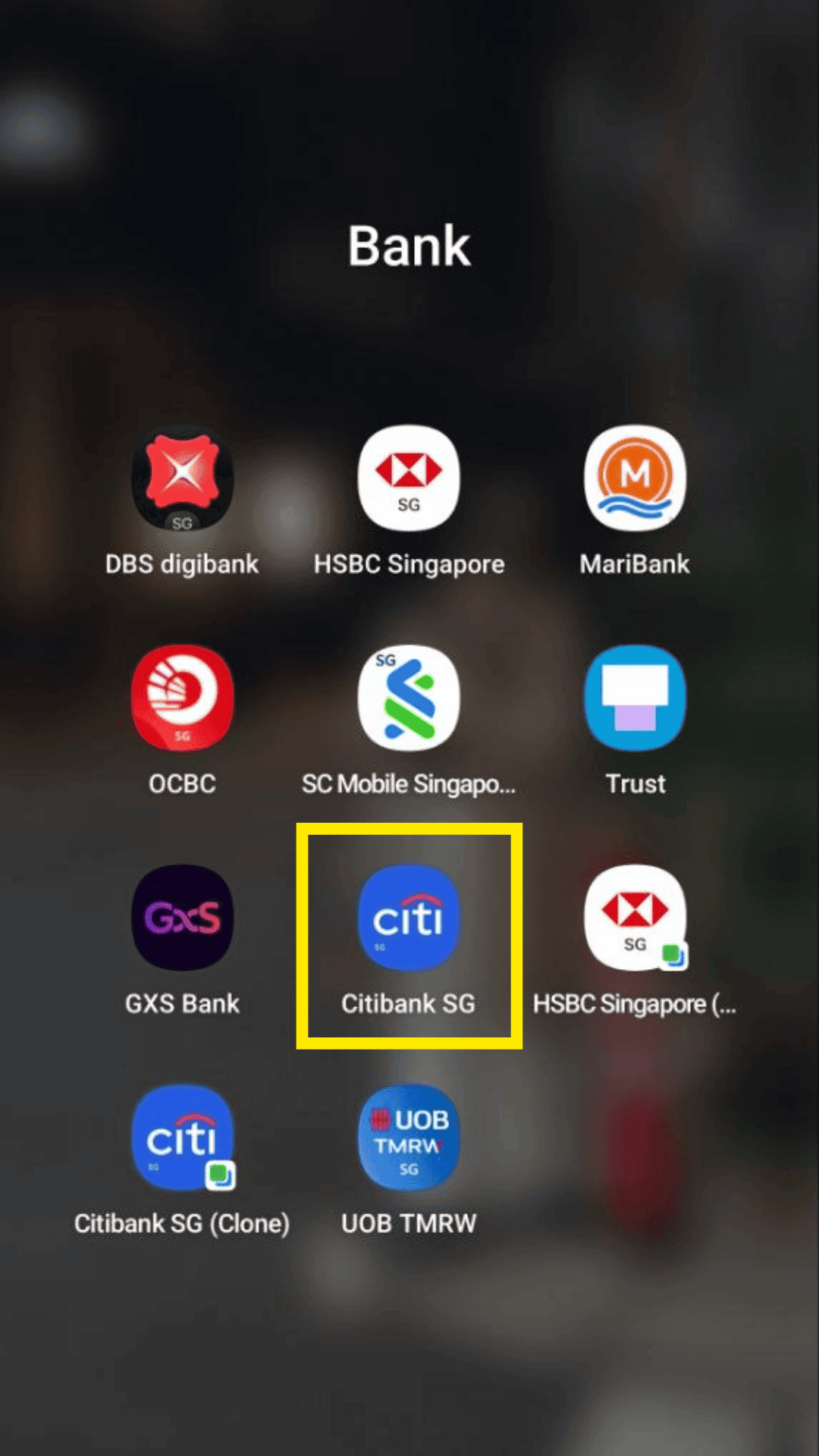
Step 1
Open and login to your Citibank mobile banking app.
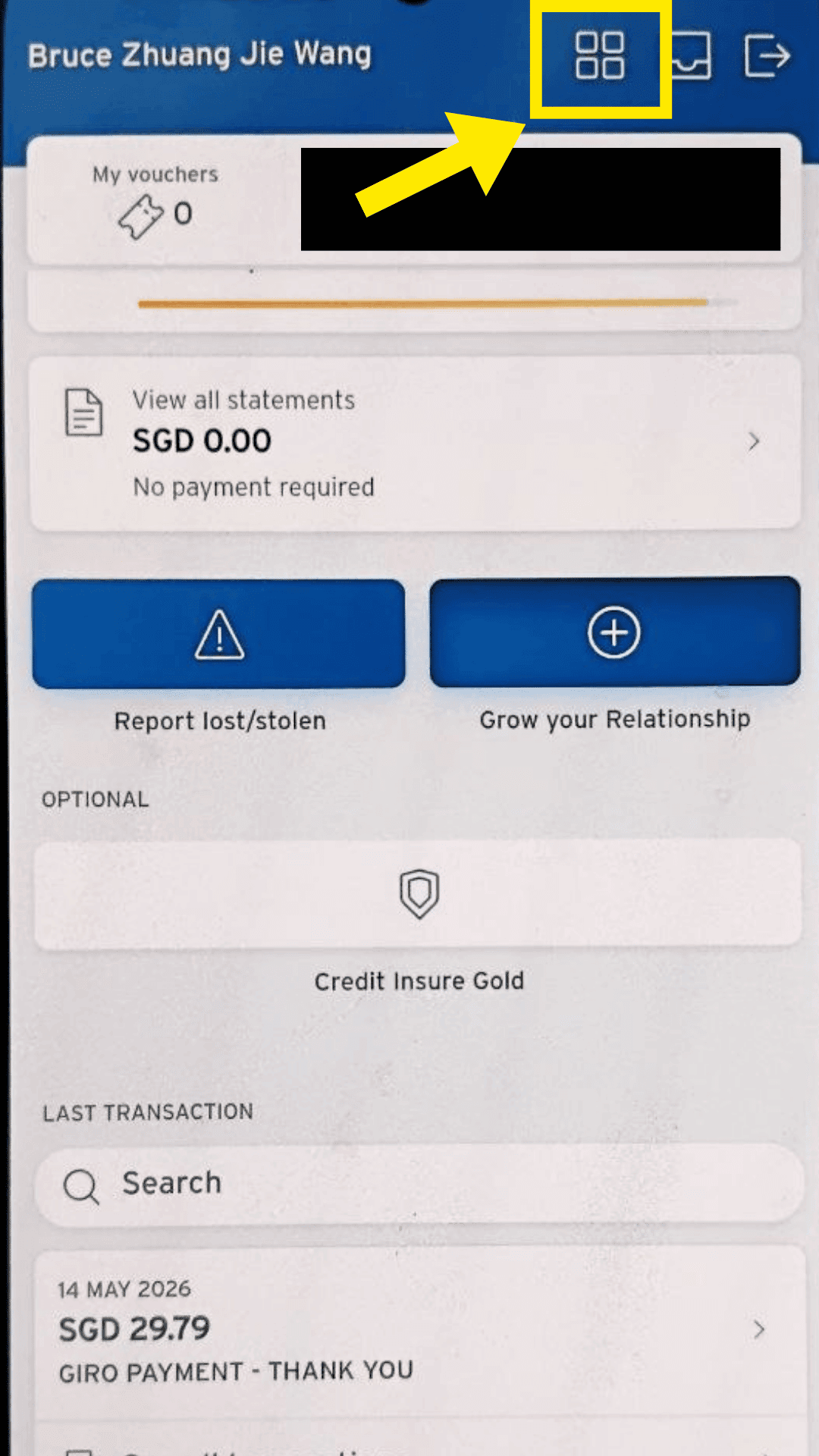
Step 2
Click on the menu icon.
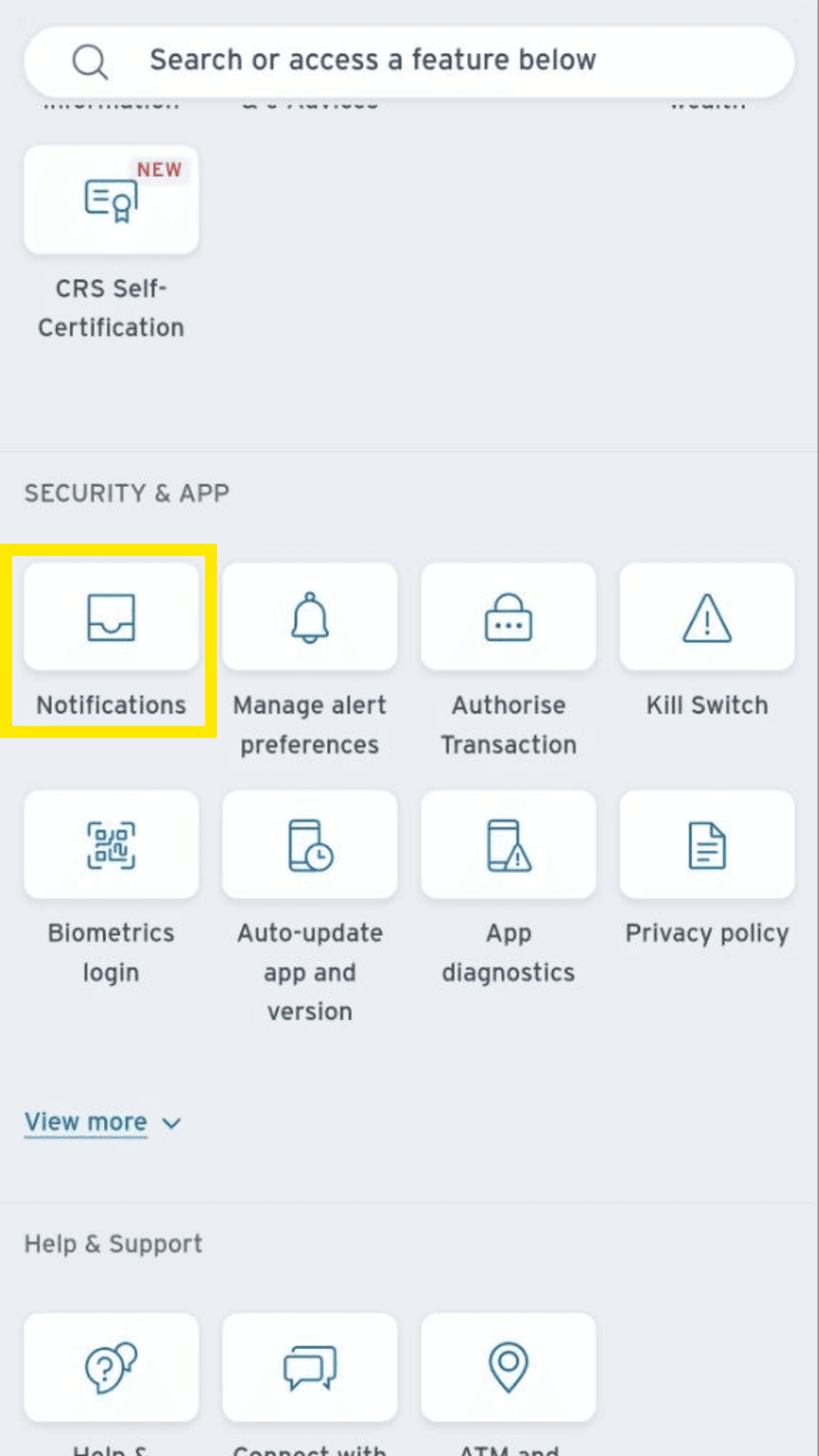
Step 3
Click on Notifications under Security & App.
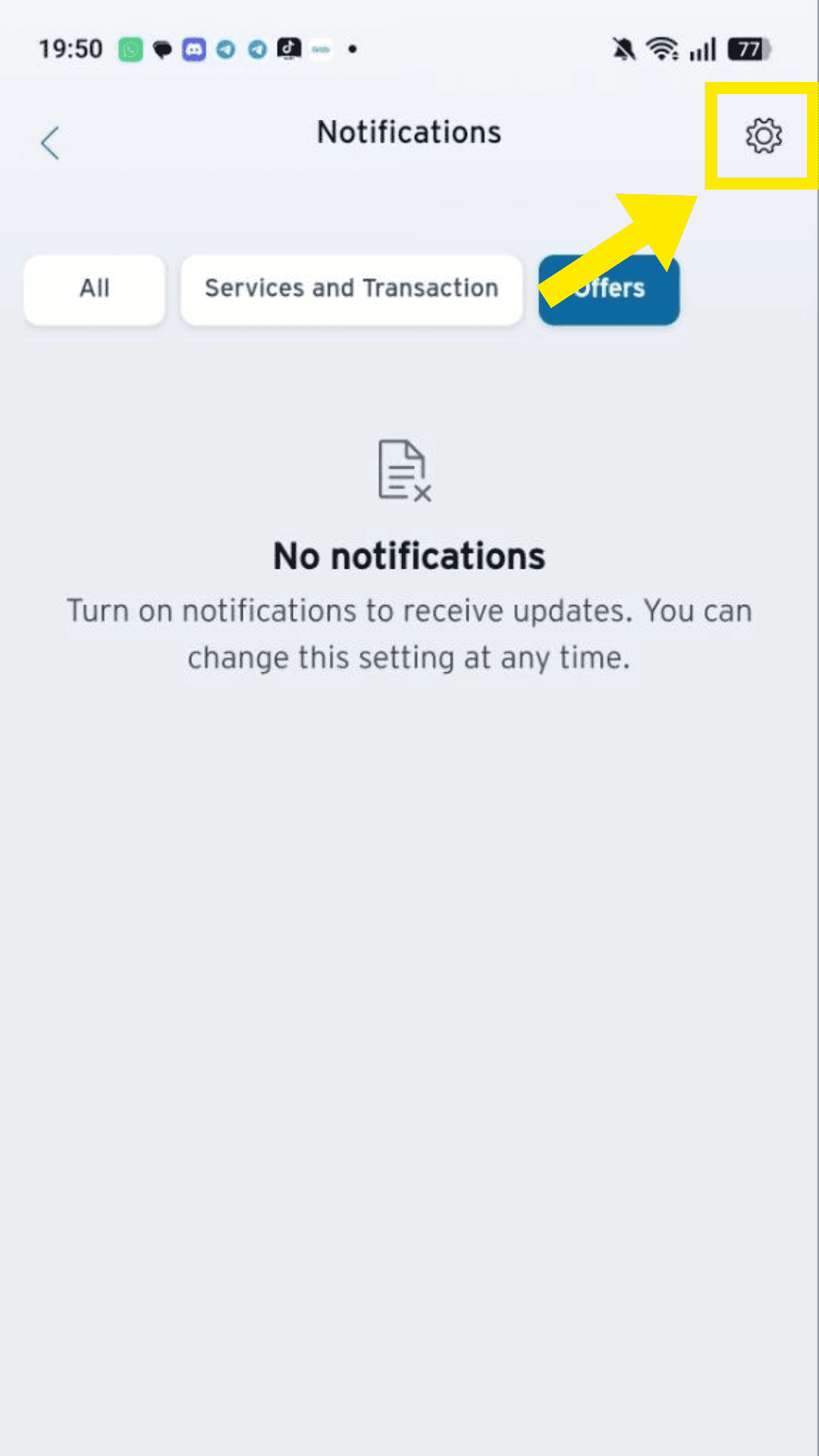
Step 4
Click on Settings Gear Icon.
Step 5
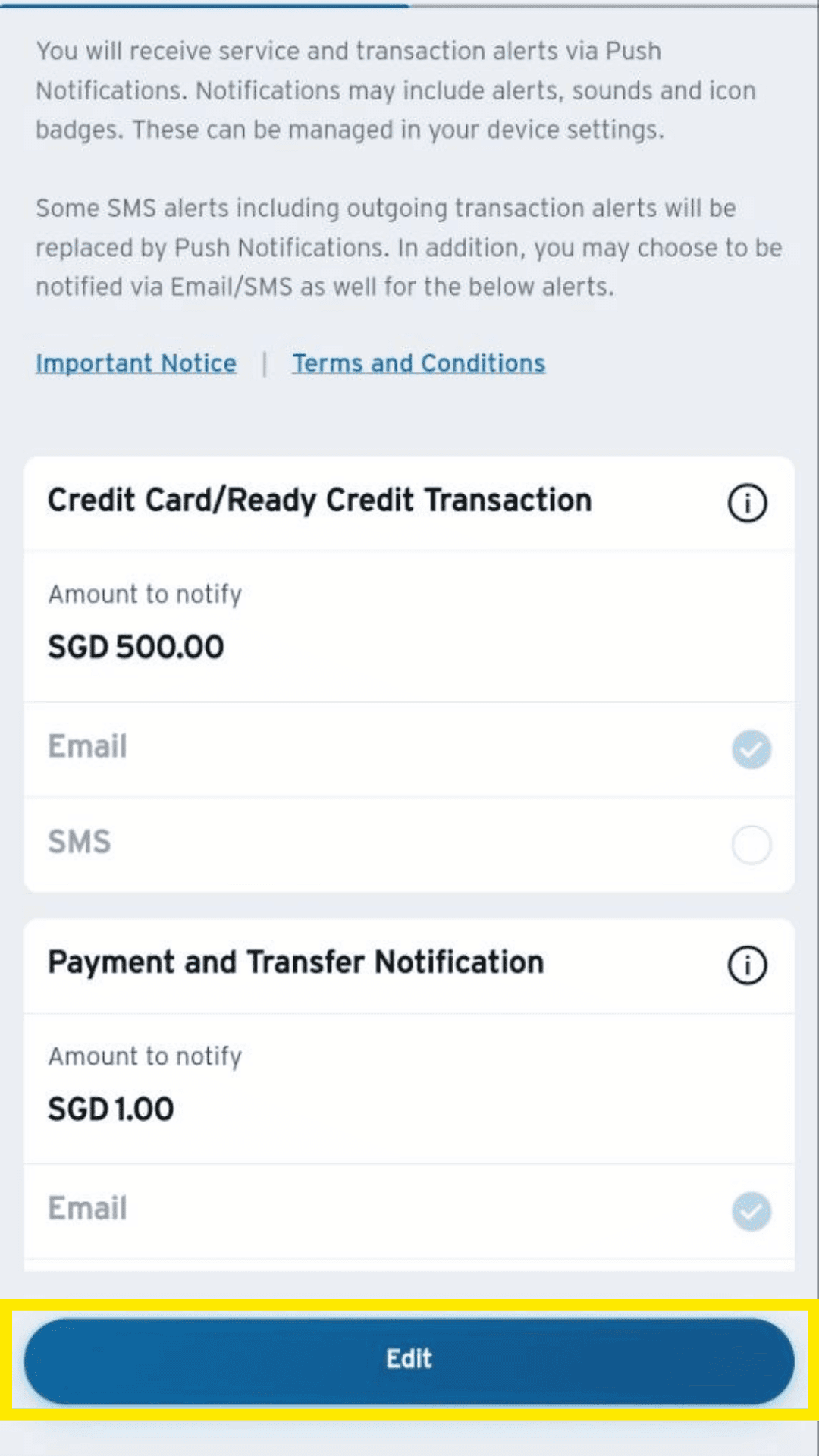
Click on Edit.
Step 6
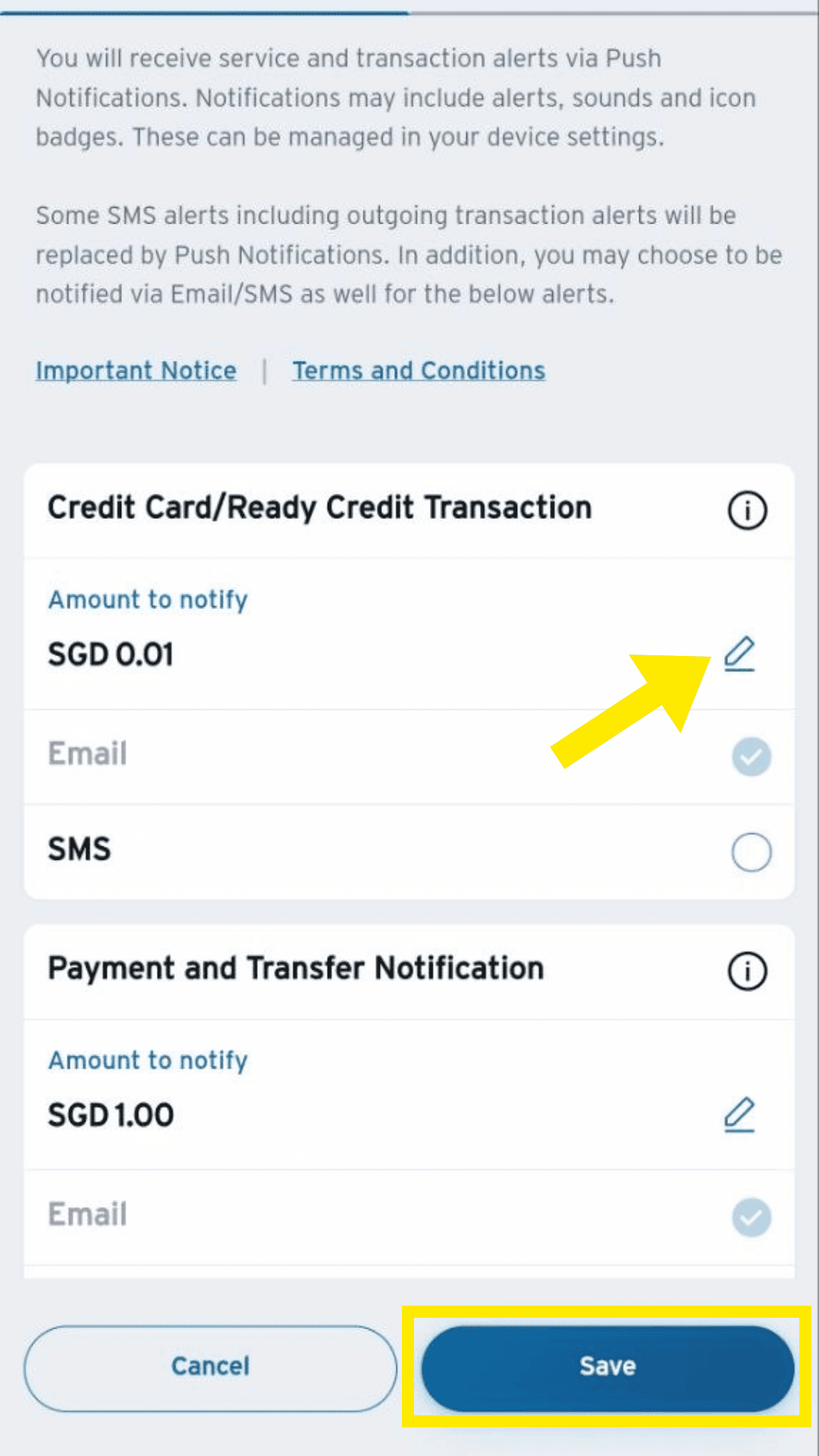
Update amount to notify to $0.01 to get alerts on all transactions. Make sure the email used is the one you will forward to TeleExpense.
Continue with TeleExpense
After enabling alerts, set up Gmail forwarding so TeleExpense can prepare supported transactions in Telegram for your review.
Set up Gmail forwarding